> ## Documentation Index
> Fetch the complete documentation index at: https://lindyai-docs-usage-credit-optimization-tips.mintlify.site/llms.txt
> Use this file to discover all available pages before exploring further.
# Daily Brief
> A personalized daily briefing on your day, meetings, and anything else you care about
## Start Every Day Knowing What Matters
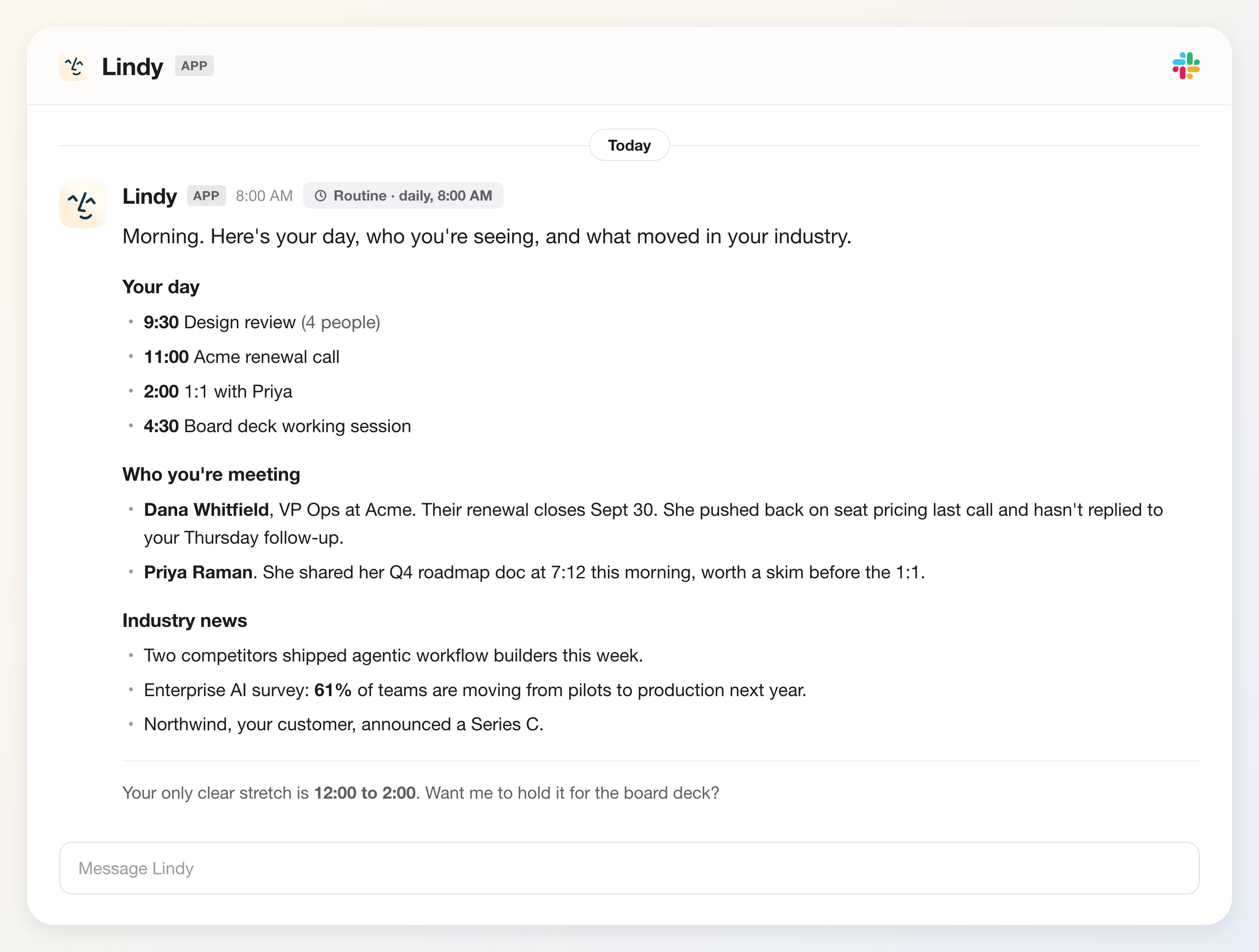
Lindy can send you a daily brief on anything you prompt it to cover. Tell it exactly what you want: your schedule, who you're meeting, industry news, priorities. It arrives every morning before your day starts, in Slack or as a text on your phone.
## What You Can Include
Tell Lindy what to cover in your brief. Common topics:
* **Your schedule**: every meeting on your calendar with times and attendees
* **Meeting context**: who you're meeting and what you've discussed before
* **Industry news**: headlines and updates relevant to your work
* **Priorities**: a summary of open tasks, emails, or follow-ups
* **Weather**: local forecast for the day
For example:
> *"Brief me about my day, who I'm meeting with, and news regarding my industry."*
Lindy reads your calendar, pulls relevant context, and delivers a clean summary without you having to ask.
## What It Looks Like
 ## How You Receive It
Lindy delivers your brief at your preferred time each morning: a Slack DM, a text to your phone (SMS / iMessage), or Lindy chat. There's nothing to check, it just shows up.
## How to Set It Up
Daily brief is a built-in **routine**. On the **Routines** page, open the **Personal** tab, find the **Daily briefs** card ("Prepares you for your day"), and toggle it on. Click the card to tune it.
Describe what you want Lindy to cover each morning. Be as specific as you like — topics, format, level of detail.
Choose when Lindy texts you the brief. Most people set it 30–60 minutes after they wake up, so they start the day already on top of what matters.
## Next Steps
Automatic briefings before each meeting
How Lindy records and summarizes your meetings
## How You Receive It
Lindy delivers your brief at your preferred time each morning: a Slack DM, a text to your phone (SMS / iMessage), or Lindy chat. There's nothing to check, it just shows up.
## How to Set It Up
Daily brief is a built-in **routine**. On the **Routines** page, open the **Personal** tab, find the **Daily briefs** card ("Prepares you for your day"), and toggle it on. Click the card to tune it.
Describe what you want Lindy to cover each morning. Be as specific as you like — topics, format, level of detail.
Choose when Lindy texts you the brief. Most people set it 30–60 minutes after they wake up, so they start the day already on top of what matters.
## Next Steps
Automatic briefings before each meeting
How Lindy records and summarizes your meetings