> ## Documentation Index
> Fetch the complete documentation index at: https://lindyai-docs-usage-credit-optimization-tips.mintlify.site/llms.txt
> Use this file to discover all available pages before exploring further.

# What is Lindy?

> The AI teammate that knows your whole company. It lives in Slack, knows everything your company knows, and does the actual work.

<Frame>
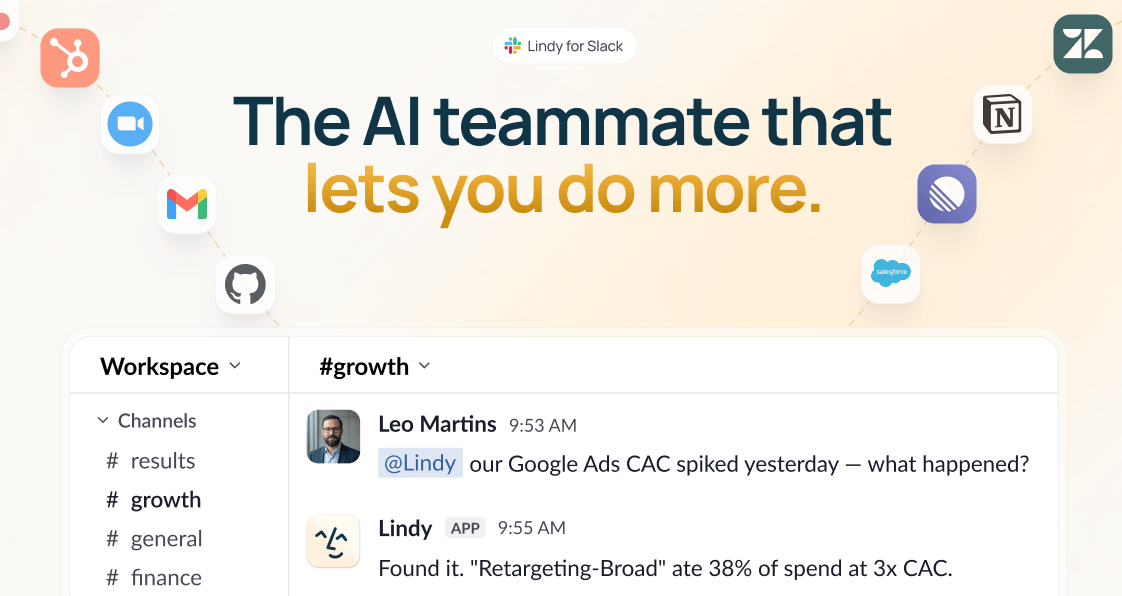
  <img src="https://mintcdn.com/lindyai-docs-usage-credit-optimization-tips/_LEbkXe07Rrud-Lg/lindy-brand-assets/teammate/hero-banner.png?fit=max&auto=format&n=_LEbkXe07Rrud-Lg&q=85&s=a130465b43759bddf9fdd9585a73b8cb" alt="Lindy for Slack: the AI teammate that lets you do more, connected to Slack, Gmail, Zoom, GitHub, Salesforce, Notion, and more, answering a #growth question about a Google Ads CAC spike" width="1122" height="596" data-path="lindy-brand-assets/teammate/hero-banner.png" />
</Frame>

## The AI teammate that knows your whole company

Lindy Teammate lives in Slack and knows everything your company knows. Everyone gets a private Lindy in their DMs. The whole team shares one in channels.

## It does real work, right in Slack

<div className="lindy-features">
  <p className="lindy-feature"><Icon icon="magnifying-glass" size={16} iconType="solid" /> <span className="ft">Ask</span> Answers from your tools and every meeting.</p>
  <p className="lindy-feature"><Icon icon="bolt" size={16} iconType="solid" /> <span className="ft">Act</span> Multi-step work across your tools, start to finish.</p>
  <p className="lindy-feature"><Icon icon="file-chart-column" size={16} iconType="solid" /> <span className="ft">Create</span> Real artifacts: decks, sheets, and reports.</p>
</div>

## Use cases

Not just quick answers. Lindy helps your team tackle more.

### Find answers

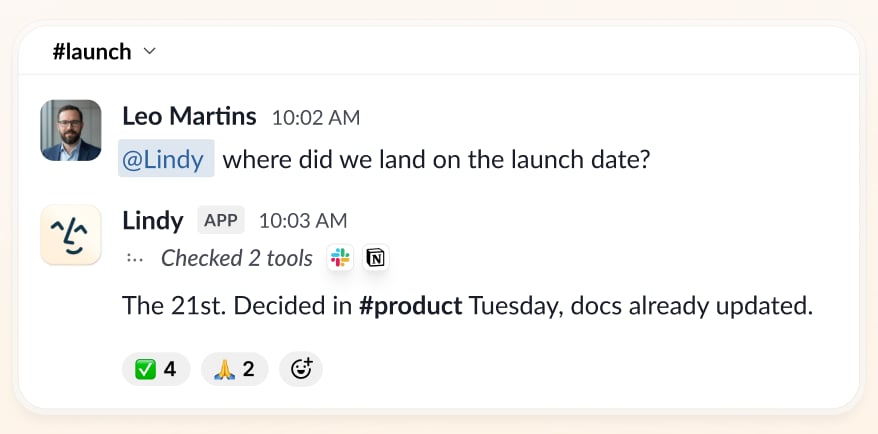
Ask across Slack, meetings, and your tools. Lindy digs up the answer and the file or decision behind it.

<Frame>
  <img src="https://mintcdn.com/lindyai-docs-usage-credit-optimization-tips/_LEbkXe07Rrud-Lg/lindy-brand-assets/teammate/find-answers.png?fit=max&auto=format&n=_LEbkXe07Rrud-Lg&q=85&s=de85ad12971117573b0a3e2f6f3e641c" alt="Lindy in #launch: asked where the team landed on the launch date, it answers the 21st, decided in #product Tuesday, with the docs already updated" width="878" height="434" data-path="lindy-brand-assets/teammate/find-answers.png" />
</Frame>

### Build decks

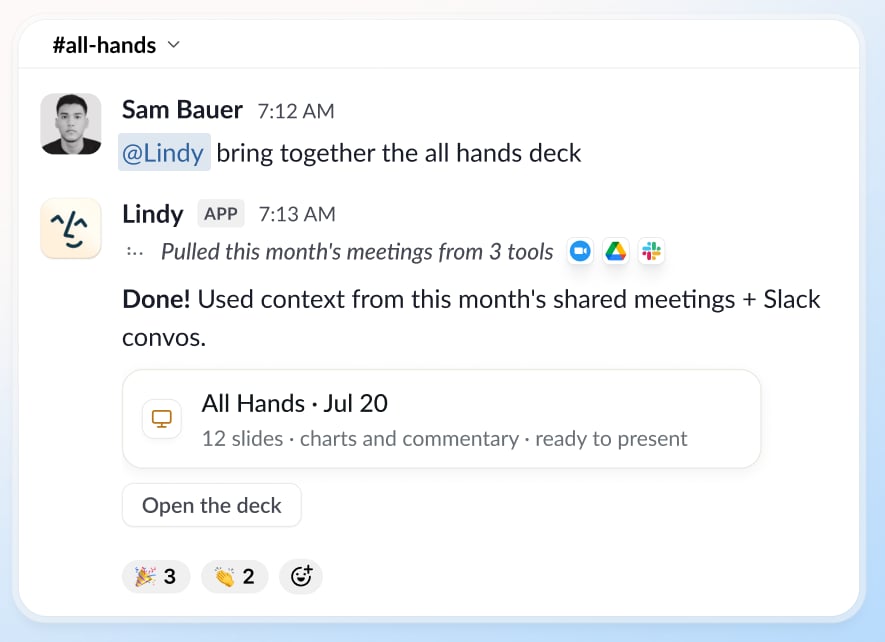
Hand Lindy the deck. It pulls from your meetings and tools and comes back with slides, charts, and commentary, ready to present.

<Frame>
  <img src="https://mintcdn.com/lindyai-docs-usage-credit-optimization-tips/xxsrt3I7XeBA_NAF/lindy-brand-assets/teammate/build-decks.png?fit=max&auto=format&n=xxsrt3I7XeBA_NAF&q=85&s=b4860d738af14401cb7bf4ecbe51845d" alt="Lindy in #all-hands: asked to bring together the all hands deck, it pulls this month's meetings from three tools and returns a 12-slide All Hands deck with charts and commentary, ready to present" width="885" height="642" data-path="lindy-brand-assets/teammate/build-decks.png" />
</Frame>

### Investigate

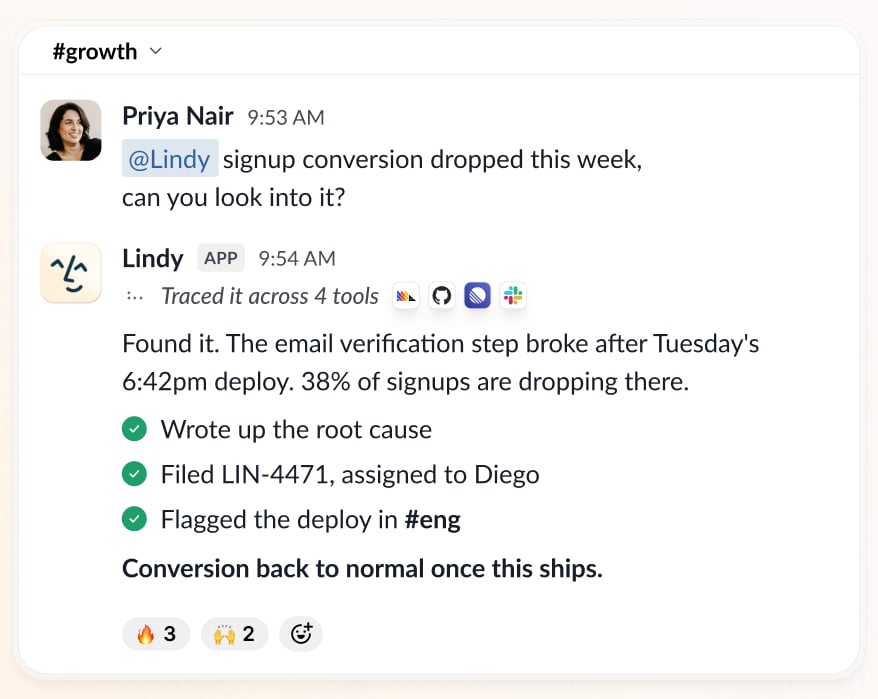
Ask why a number moved. Lindy traces it across analytics, code, and tickets to the root cause, with the fix ready.

<Frame>
  <img src="https://mintcdn.com/lindyai-docs-usage-credit-optimization-tips/_LEbkXe07Rrud-Lg/lindy-brand-assets/teammate/investigate.png?fit=max&auto=format&n=_LEbkXe07Rrud-Lg&q=85&s=b4fa2679978b3793c5a80c8a3f31690d" alt="Lindy in #growth: asked why signup conversion dropped, it traces the cause across four tools to a broken email verification step after Tuesday's deploy, writes up the root cause, files a ticket, and flags the deploy in #eng" width="878" height="699" data-path="lindy-brand-assets/teammate/investigate.png" />
</Frame>

### Pull reports

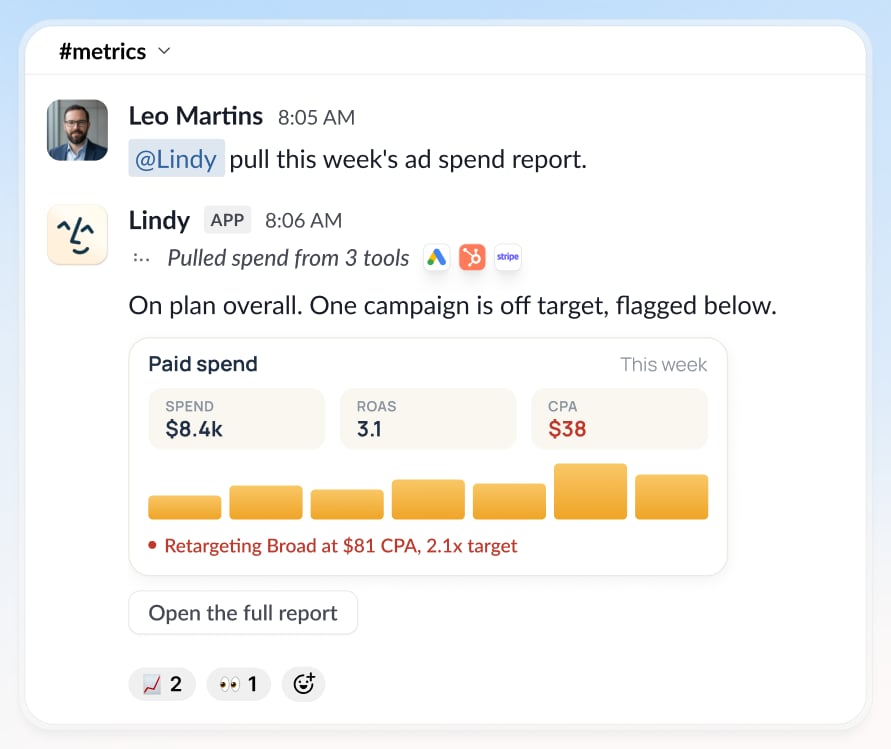
The daily or weekly numbers, pulled from your ad, CRM, and finance tools into a live report, with anything off-target flagged.

<Frame>
  <img src="https://mintcdn.com/lindyai-docs-usage-credit-optimization-tips/_LEbkXe07Rrud-Lg/lindy-brand-assets/teammate/pull-reports.png?fit=max&auto=format&n=_LEbkXe07Rrud-Lg&q=85&s=1193aa222bad8088a403f8505fe842cf" alt="Lindy in #metrics: asked for this week's ad spend report, it pulls spend from three tools and returns $8.4k spend, 3.1 ROAS, and $38 CPA, with Retargeting Broad flagged at $81 CPA, 2.1x target" width="891" height="749" data-path="lindy-brand-assets/teammate/pull-reports.png" />
</Frame>

### Handle busywork

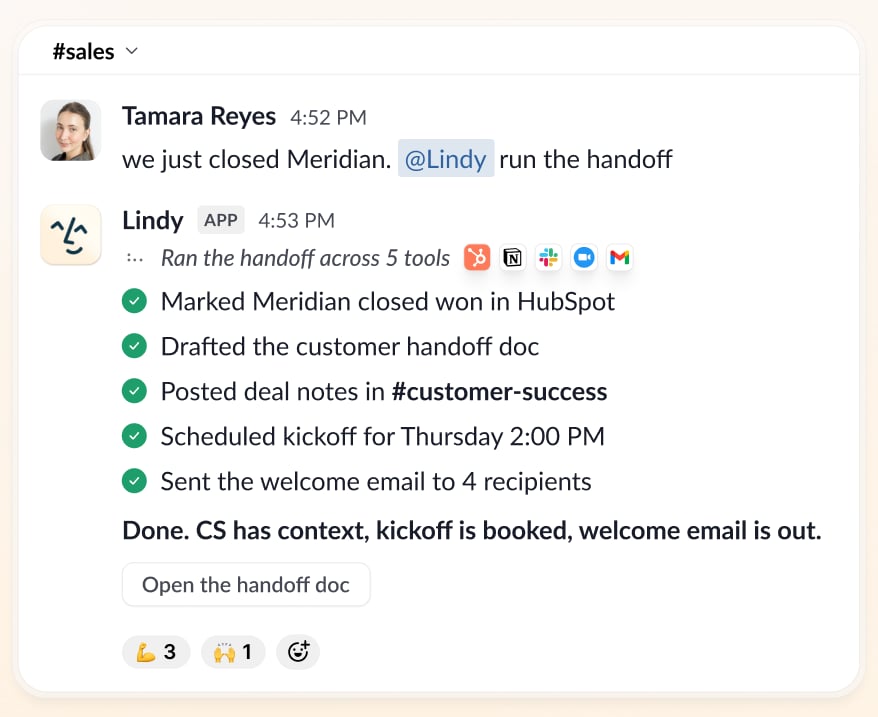
The CRM updates, the handoff doc, the follow-ups. Lindy runs the multi-step work nobody wants to.

<Frame>
  <img src="https://mintcdn.com/lindyai-docs-usage-credit-optimization-tips/_LEbkXe07Rrud-Lg/lindy-brand-assets/teammate/handle-busywork.png?fit=max&auto=format&n=_LEbkXe07Rrud-Lg&q=85&s=ff4bc1507e9b985536cbe89a1815149e" alt="Lindy runs a deal-won handoff: updates HubSpot, creates the Notion doc, posts to customer-success, schedules the kickoff, and sends the welcome email" width="878" height="717" data-path="lindy-brand-assets/teammate/handle-busywork.png" />
</Frame>

### Catch up

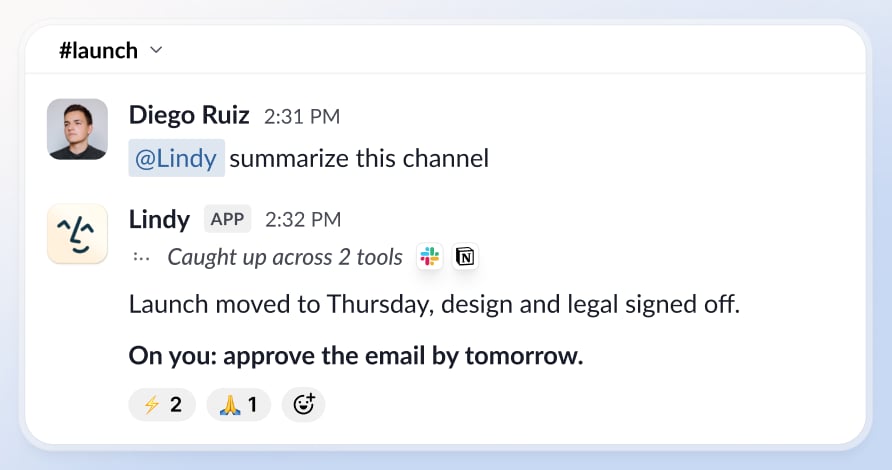
Been out, or dropped into a busy channel? Lindy gives you the TL;DR and exactly what needs you.

<Frame>
  <img src="https://mintcdn.com/lindyai-docs-usage-credit-optimization-tips/xxsrt3I7XeBA_NAF/lindy-brand-assets/teammate/catch-up.png?fit=max&auto=format&n=xxsrt3I7XeBA_NAF&q=85&s=098f73ff5fd643891e1b269c91601876" alt="Lindy summarizes the #launch channel: launch moved to Thursday, design and legal signed off, and flags that you need to approve the email by tomorrow" width="892" height="470" data-path="lindy-brand-assets/teammate/catch-up.png" />
</Frame>

## The anatomy of a great teammate

<div className="mini-cards">
  <a className="mini-card" href="/integrations/overview"><span className="mt">Connected to everything.</span> <span className="md">Works with Gmail, Slack, Notion, HubSpot, and 1,000+ tools, plus any MCP server.</span></a>
  <a className="mini-card" href="/coming-soon/meeting-library"><span className="mt">Sits in every meeting.</span> <span className="md">Records and shares team meetings, so anyone can query them later.</span></a>
  <a className="mini-card" href="/coming-soon/routines"><span className="mt">Shows up on schedule.</span> <span className="md">Runs recurring work like daily briefs and weekly reports automatically.</span></a>
  <a className="mini-card" href="/coming-soon/skills"><span className="mt">Learns your skills.</span> <span className="md">Ships with 40+ skills, and saves new ones your team can reuse.</span></a>
  <a className="mini-card" href="/coming-soon/files"><span className="mt">Editable memory.</span> <span className="md">Keeps what it knows in plain files you can open and edit.</span></a>
</div>

## Security by design

Compliant, private, and in your control. Three separate promises, and Lindy keeps all of them.

<div className="trust-cards">
  <div className="trust-card"><Icon icon="shield-check" size={18} color="#3A60FF" /><div><span className="tt">Compliant</span><span className="td">AICPA SOC 2, GDPR, HIPAA, and PIPEDA. Enterprise adds SSO, SCIM, and HIPAA with a signed BAA.</span></div></div>
  <div className="trust-card"><Icon icon="lock" size={18} color="#3A60FF" /><div><span className="tt">Private</span><span className="td">Encrypted in transit and at rest, never sold, and never used to train models. Your DMs and personal context stay yours.</span></div></div>
  <div className="trust-card"><Icon icon="user-shield" size={18} color="#3A60FF" /><div><span className="tt">In your control</span><span className="td">Nothing irreversible without your approval. Lindy preps the work, you approve it, then it ships.</span></div></div>
</div>

[See how we protect your data →](/resources/security)

## Works wherever you work
<div className="lindy-pills">
  <a className="lindy-pill" href="/coming-soon/setup"><Icon icon="slack" size={15} /> Slack</a>
  <a className="lindy-pill" href="/features/imessage-sms"><Icon icon="message" size={15} /> iMessage</a>
  <a className="lindy-pill" href="/features/chrome-extension"><Icon icon="chrome" size={15} /> Chrome extension</a>
</div>

## Up and running in minutes

<Steps>
  <Step title="Add it to Slack">
    One click from the Slack marketplace. The whole team gets Lindy at once.
  </Step>

  <Step title="Authorize your tools">
    Connect your tools and Lindy sorts out the permissions. No API keys, no IT ticket.
  </Step>

  <Step title="@mention it">
    Tag Lindy in any channel or DM, and it starts working.
  </Step>
</Steps>

<CardGroup cols={2}>
  <Card title="Quickstart" icon="rocket" href="/start-here/quickstart">
    Get your team running in minutes.
  </Card>

  <Card title="Pricing" icon="tag" href="/pricing">
    Simple per-seat pricing.
  </Card>
</CardGroup>

## Built for the whole team, private by default

Your DMs and email stay yours. Meetings are private unless you share them. Your data is never sold or used to train models.

* **SOC 2 Type II** compliant
* **HIPAA** compliant
* **GDPR** compliant
* **AES-256** encryption

[Learn more about security](/resources/security)

***

## Need help?

* **Email:** [support@lindy.ai](mailto:support@lindy.ai)
* **Join a group onboarding session:** [luma.com/getlindy](https://luma.com/getlindy)